A good tool helps your team plan work, track deadlines, manage priorities, share updates, and avoid the confusion that comes from scattered spreadsheets or endless message threads.
The problem is that most project management software looks useful at first glance. Asana feels structured. Trello feels simple. ClickUp promises an all-in-one workspace. Jira is built for software teams. Monday.com is strong for visual workflows. Then there are tools like Wrike, Smartsheet, Teamwork, Notion, Airtable, Zoho Projects, and Microsoft Planner. Each one solves a different type of work problem.
That is why comparison matters. The right project management platform for a small business may not be right for an enterprise team. A marketing agency may need time tracking and client visibility. A software team may need sprints, backlog management, and GitHub integration. A remote team may care more about dashboards, collaboration, and workflow automation.
In this guide, we will compare the top project management tools based on features, pricing, ease of use, integrations, AI capabilities, reporting, and best-fit use cases. By the end, you should have a clearer idea of which project management software fits your team, your budget, and the way your projects actually move.
When Do You Need a Project Management Tool for Your Project?
You need a project management tool when work starts moving faster than your current system can handle. At first, spreadsheets, email threads, or chat updates may feel enough. But once tasks get missed and deadlines become unclear, your team needs a better way to organize work.
Project management software becomes useful when multiple people are involved in the same project. It helps assign tasks, track progress, manage deadlines, and keep files in one place. This is especially important for remote teams, agencies, software teams, and small businesses that manage several projects at once.
You may also need a project management platform when meetings increase but clarity does not improve. A good tool gives your team visibility without asking everyone for constant updates. It can reduce confusion and help people understand what to do next.
Quick Comparison: Best Project Management Tools
Here is a quick comparison of the best project management tools before we go into the detailed reviews. This table will help you compare each tool by use case, free plan, pricing clue, and core strength.
| Tool | Best For | Free Plan | Pricing Clue | Main Strength |
|---|---|---|---|---|
| Asana | Cross-functional teams, structured projects, goals, and task tracking | Yes | Starter starts at $10.99/user/month when billed annually | Clean project tracking with list, board, calendar, timeline, and workflow features. |
| monday.com | Visual work management, operations, dashboards, and automation | Yes | Free up to 2 seats. Basic starts at $9/seat/month when billed annually | Flexible boards, templates, dashboards, AI credits, and strong workflow customization. |
| ClickUp | Teams that want tasks, docs, goals, dashboards, chat, and AI in one place | Yes | Unlimited starts at $7/user/month when billed yearly | Broad feature depth with Gantt charts, time tracking, resource management, docs, and AI options. |
| Jira | Software teams, agile projects, issue tracking, sprints, and product work | Yes | Free for up to 10 users | Strong for Scrum, Kanban, bug tracking, roadmaps, dashboards, and technical workflows. |
| Trello | Simple Kanban boards, beginners, freelancers, and lightweight team projects | Yes | Standard starts at $5/user/month when billed annually | Easy board-based project management with cards, checklists, Power-Ups, automation, and timeline views on higher plans. |
| Wrike | Enterprise teams, agencies, resource planning, Gantt charts, and reporting | Yes | Team starts at $10/user/month. Business starts at $25/user/month | Strong visibility across tasks, dashboards, Gantt charts, resource planning, reporting, and AI-assisted workflows. |
| Smartsheet | Spreadsheet-style project management, operations, portfolios, and complex tracking | Trial available | Pro starts at $9/member/month when billed yearly. Business starts at $19/member/month | Familiar spreadsheet format with Gantt, table, board, calendar, automations, formulas, dashboards, and AI features. |
| Notion | Docs, knowledge base, lightweight projects, wikis, and AI workspace use cases | Yes | Free plan available. Paid pricing may show by region | Best for teams that want documentation and project tracking in one flexible workspace. |
| Basecamp | Simple team communication, client projects, and flat-rate project management | Yes | Free account supports 1 project. Pro is $15/user/month. Pro Unlimited is $299/month annually | Simple structure with projects, messages, tasks, files, schedules, and client access without heavy setup. |
| Teamwork.com | Agencies, client work, time tracking, billing, and profitability | Trial available | Basics starts at $9.99/user/month when billed yearly | Built for client service teams with Gantt, table, list, board views, billable time, invoices, capacity, and AI support. |
| Airtable | Custom workflows, content calendars, databases, and flexible project tracking | Yes | Team starts at $20/user/month when billed annually. Business starts at $45/user/month | Combines spreadsheet ease with database power, automations, forms, views, and custom workflow building. |
| Microsoft Planner | Microsoft 365 users, Teams-based task planning, and project schedules | Included in Microsoft 365 | Planner Plan 1 starts at $10/user/month when paid yearly | Good choice for teams already using Microsoft Teams, Outlook, Microsoft 365, and project planning views. |
| Zoho Projects | Small businesses, budget-conscious teams, and Zoho ecosystem users | Yes | Free up to 5 users. Paid tiers are available | Affordable project management with tasks, subtasks, time logs, automation, Gantt charts, reports, and Zoho integrations. |
| Linear | Product teams, engineering teams, issue tracking, and AI-assisted software workflows | Yes | Basic starts at $10/user/month when billed yearly | Fast product development workspace with issues, cycles, roadmaps, triage, Linear Agent, and developer-focused workflows. |
| Adobe Workfront | Enterprise marketing, creative operations, portfolio work, and approval-heavy teams | No public free plan | Custom pricing across Select, Prime, and Ultimate packages | Enterprise-grade work management with approvals, portfolio planning, resource management, reporting, dashboards, and Adobe ecosystem support. |
This table gives a fast view of the project management software market. Asana, monday.com, ClickUp, and Jira are the strongest general-purpose names for most teams. Trello and Basecamp are better when simplicity matters more than complex reporting. Wrike, Smartsheet, and Adobe Workfront fit larger teams that need visibility across many projects. Teamwork.com is a stronger pick for agencies, while Linear is built for product and engineering teams.
Detailed Breakdown: Best Project Management Tools
1. Asana
Quick facts
- Website: asana.com
- Best for: Cross-functional teams, goal tracking, workflows, and structured projects
- Free plan: Yes
- Pricing clue: Starter starts at $10.99 per user per month when billed annually
- Core features: Tasks, projects, timeline, forms, goals, portfolios, rules, dashboards, and AI teammates
- Customer proof: Amazon, Accenture, Johnson & Johnson, Dell, and Merck are shown on Asana’s website
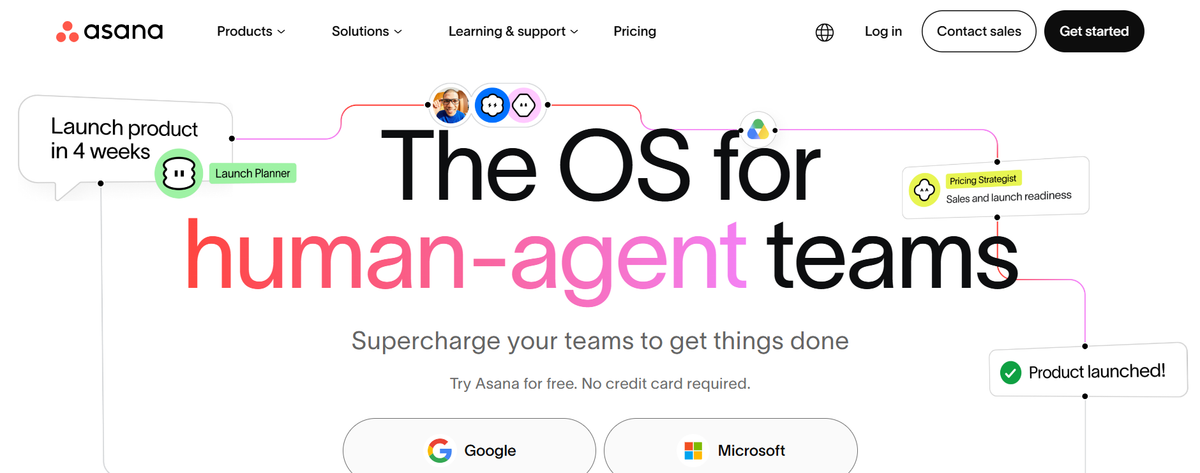
Asana is a strong project management tool for teams that want clean task ownership and better visibility across departments. It works well when projects involve marketing, operations, product, leadership, and support teams at the same time.
The platform is not limited to basic task lists. Teams can use timelines, rules, portfolios, forms, goals, dashboards, and AI teammates to manage work from planning to delivery. This makes Asana useful for companies that need structure without the heavy setup of enterprise project management software. Its customer proof is also strong, as Asana says 85% of Fortune 100 companies use the platform.
2. monday.com
Quick facts
- Website: monday.com
- Best for: Visual work management, operations, dashboards, and workflow automation
- Free plan: Yes
- Pricing clue: Basic starts at $9 per seat per month when billed annually
- Core features: Boards, dashboards, automations, AI agents, templates, forms, views, and team workflows
- Customer proof: monday.com says more than 250,000 customers use the platform. Canva and Coles 360 are featured in its customer stories
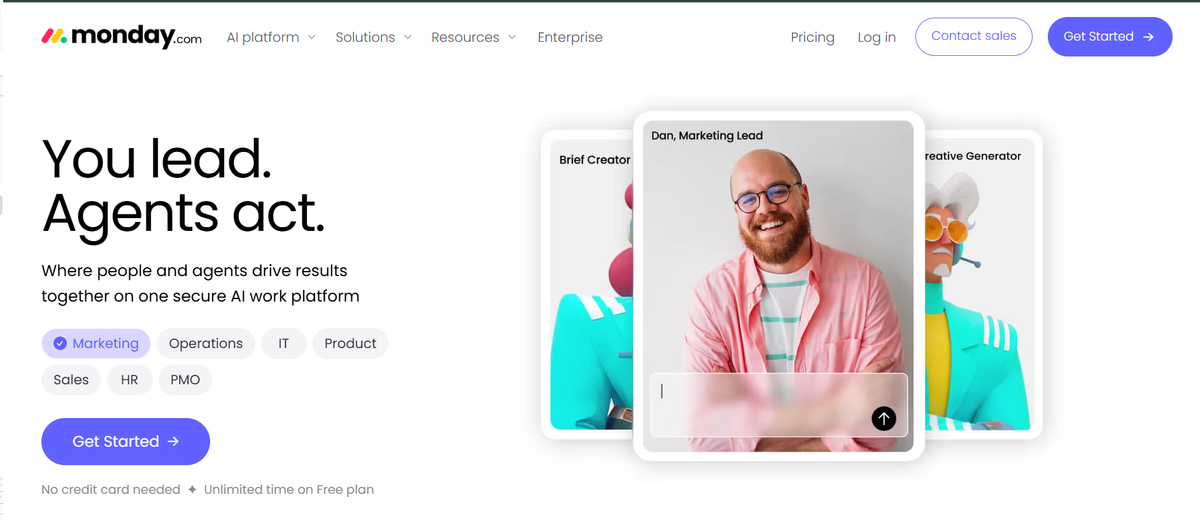
monday.com is a good fit for teams that prefer visual planning instead of a traditional project management layout. Boards are flexible, so teams can shape them around campaigns, operations, CRM workflows, product roadmaps, or internal requests.
The biggest strength is customization. A marketing team can use monday.com for content planning. An operations team can use it for approvals. A PMO can use it for dashboards and executive visibility. The platform now leans heavily into AI agents and AI-powered workflows, which makes it more relevant for teams that want automation without building a custom system from scratch.
3. ClickUp
Quick facts
- Website: clickup.com
- Best for: All-in-one project management, docs, goals, dashboards, chat, and AI workspaces
- Free plan: Yes
- Pricing clue: Unlimited starts at $7 per user per month when billed yearly
- Core features: Tasks, docs, whiteboards, goals, Gantt charts, time tracking, dashboards, automations, chat, and ClickUp Brain
- Customer proof: Tony’s Chocolonely, Seequent, Trinetix, Siemens, and Foxtel are shown in ClickUp customer stories
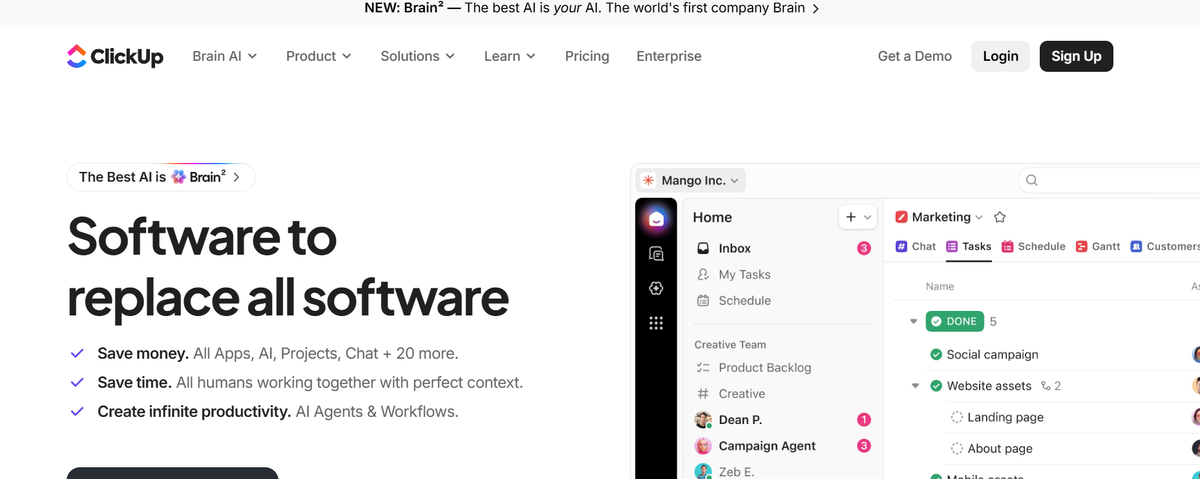
ClickUp is for teams that want fewer separate tools. It combines task management, documents, goals, dashboards, whiteboards, chat, time tracking, and AI features in one workspace. That can be helpful for growing teams that are tired of jumping between project apps, docs, spreadsheets, and chat tools.
The depth is impressive, but it may feel busy for teams that only need simple task tracking. ClickUp becomes more useful when your team needs several views and workflows in one system. Agencies, software teams, operations teams, and marketing departments can all adapt it in different ways.
4. Jira
Quick facts
- Website: atlassian.com/software/jira
- Best for: Software teams, agile projects, issue tracking, sprint planning, and product development
- Free plan: Yes, for up to 10 users
- Pricing clue: Free signup is available for small teams
- Core features: Issues, projects, boards, roadmaps, backlogs, sprints, dashboards, reports, and AI agents
- Customer proof: Jira is part of Atlassian’s product ecosystem, which includes Jira, Confluence, Trello, and Loom
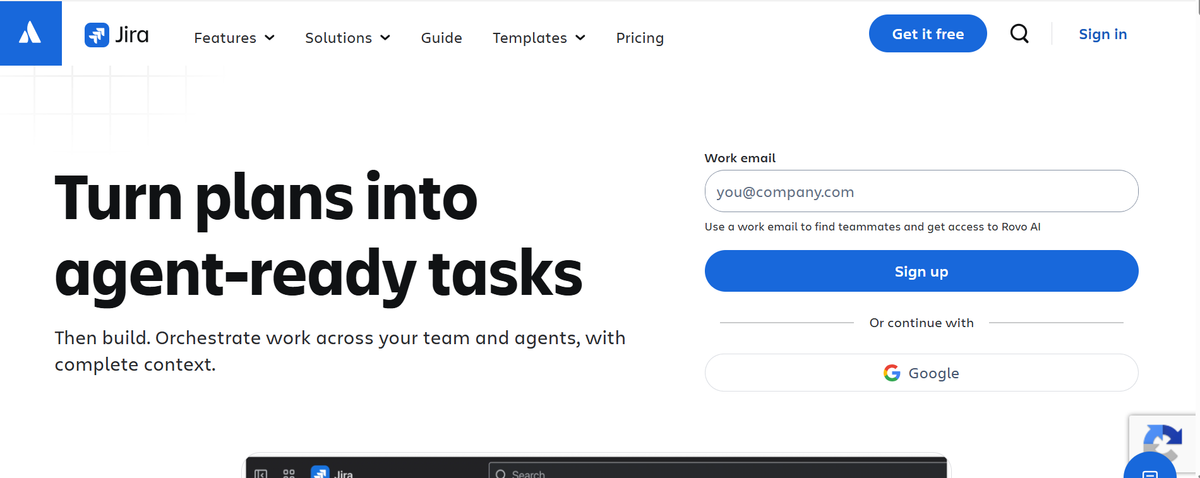
Jira is one of the strongest project management platforms for software development. It is built around issues, sprints, backlogs, roadmaps, and agile workflows. Product and engineering teams use it because it supports detailed tracking that simple project management apps often cannot handle.
The tradeoff is complexity. Jira can feel too technical for a small marketing team or a founder-led startup that only needs task visibility. But for engineering teams, QA teams, DevOps groups, and product managers, Jira gives more control over work status, dependencies, releases, and reporting.
5. Trello
Quick facts
- Website: trello.com
- Best for: Simple Kanban boards, beginners, freelancers, and lightweight projects
- Free plan: Yes
- Pricing clue: Standard starts at $5 per user per month when billed annually
- Core features: Boards, lists, cards, checklists, templates, Power-Ups, automation, planner, and integrations
- Customer proof: Trello is part of Atlassian. Its site mentions use by startups through Fortune 500 companies
Trello is the easiest tool on this list to understand quickly. You create a board, add lists, move cards, and track work visually. That makes it a good choice for beginners, freelancers, small teams, and personal project management.
Its simplicity is also the limitation. Trello is not the best choice when you need deep reporting, resource planning, portfolio views, or complex dependencies. But for content calendars, hiring pipelines, lightweight product planning, task boards, and team checklists, it remains a practical project management app. Power-Ups and automation help extend it when the basic board is not enough.
6. Wrike
Quick facts
- Website: wrike.com
- Best for: Enterprise teams, agencies, resource planning, Gantt charts, and reporting
- Free plan: Yes
- Pricing clue: Team starts at $10 per user per month
- Core features: Gantt charts, dashboards, resource management, reports, request forms, workflows, and AI essentials
- Customer proof: Walmart Canada, Granicus, Syneos, Ogilvy Australia, Capgemini, Nickelodeon, and The Estée Lauder Companies appear in Wrike customer stories
Wrike is stronger when project work becomes harder to control across departments. It gives teams visibility through Gantt charts, dashboards, resource management, reports, request forms, and workload planning.
This makes Wrike useful for agencies, enterprise marketing teams, professional services firms, and operations teams that manage several projects at once. It is more structured than Trello or Basecamp. It is also more reporting-focused than many simple task tools. The platform may feel heavier for small teams, but larger teams will benefit from the control and visibility.
7. Smartsheet
Quick facts
- Website: smartsheet.com
- Best for: Spreadsheet-style project management, operations, portfolios, and complex tracking
- Free plan: Trial available
- Pricing clue: Pro starts at $9 per member per month when billed yearly. Business starts at $19 per member per month when billed yearly
- Core features: Grid view, Gantt view, board view, calendar view, dashboards, reports, forms, formulas, automations, workload tracking, and portfolios
- Customer proof: NASCAR Productions, Douglas Pharmaceuticals, UMass Memorial Health, City of Chandler, and Kura Sushi USA appear in Smartsheet customer stories
Smartsheet is best for teams that already think in spreadsheets but need more control than Excel can provide. It keeps the grid-style experience familiar, then adds project views, dashboards, reports, forms, automation, and resource features.
This is useful for operations teams, PMOs, construction teams, IT teams, and enterprise departments that need structured tracking. Smartsheet can handle complex work better than lightweight tools. The downside is that it may not feel as modern or friendly as monday.com or ClickUp for everyday task collaboration.
8. Notion
Quick facts
- Website: notion.com
- Best for: Docs, wikis, lightweight projects, knowledge base, and AI workspace use cases
- Free plan: Yes
- Pricing clue: Free plan is available. Paid plans vary by region and workspace needs
- Core features: Pages, databases, docs, wikis, forms, sites, calendar, AI, templates, and connected workspaces
- Customer proof: Ramp, OpenAI, Cursor, Figma, and Volvo are shown on Notion’s customer page
Notion is not a traditional project management tool first. It is more like a flexible workspace where teams can build docs, wikis, task trackers, databases, roadmaps, and lightweight project systems.
That flexibility is powerful when your team wants project work and knowledge management together. Product teams can document specs. Marketing teams can plan campaigns. Founders can manage company notes and task boards in one place. But Notion may require more setup than tools with fixed project management structures. It works best when your team values documentation as much as task tracking.
9. Basecamp
Quick facts
- Website: basecamp.com
- Best for: Simple team communication, client projects, and flat-rate project management
- Free plan: Yes
- Pricing clue: Pro Unlimited is $299 per month when billed annually
- Core features: Projects, messages, to-dos, schedules, files, clients, notifications, and team communication
- Customer proof: Coimbra Genomics, Lägenhetsbyte, and Chamber Nation are shown in Basecamp testimonials
Basecamp is built for teams that want calm project management instead of complex dashboards. It brings tasks, messages, files, schedules, and client communication into one place. The product is especially useful for small businesses, agencies, and remote teams that want a simple system everyone can understand.
Its flat-rate pricing can be attractive for larger teams that dislike per-user billing. Basecamp is not the best fit for advanced Gantt charts, resource planning, agile sprints, or deep reporting. It is better for teams that need clarity, fewer meetings, and a single place to manage communication.
10. Teamwork.com
Quick facts
- Website: teamwork.com
- Best for: Agencies, client work, time tracking, billing, and profitability
- Free plan: Trial available
- Pricing clue: Basics starts at $9.99 per user per month when billed yearly
- Core features: Projects, time tracking, budgets, rates, invoices, Gantt view, table view, list view, board view, templates, and AI support
- Customer proof: Teamwork.com shows customer proof around client work and profitability-focused project delivery
Teamwork.com has a clearer agency angle than most general project management platforms. It is designed for teams that manage client projects and need to track time, budget, cost, capacity, and profitability.
That makes it useful for marketing agencies, creative studios, consultants, and professional services teams. A simple task tool can show what needs to be done. Teamwork.com goes further by connecting project delivery with money. Teams can see billable work, budgets, and overrun risks before profit disappears. It may be more than a basic internal team needs, but client-service companies should consider it.
11. Airtable
Quick facts
- Website: airtable.com
- Best for: Custom workflows, databases, content calendars, operations, and flexible project tracking
- Free plan: Yes
- Pricing clue: Team starts at $20 per user per month when billed annually. Business starts at $45 per user per month when billed annually
- Core features: Databases, views, forms, interfaces, automations, reporting, AI app building, and workflow apps
- Customer proof: Airtable says more than 500,000 organizations use it. Its LinkedIn page says this includes 80% of the Fortune 100
Airtable is best when a normal task manager feels too rigid. It combines spreadsheet familiarity with database structure, so teams can build custom systems for projects, content calendars, product operations, events, assets, and approvals.
The key advantage is flexibility. You can create different views for different teams without losing the underlying data structure. Airtable is not always the fastest choice for simple daily task tracking. It works better when teams need a custom workflow that does not fit neatly inside a standard project management app.
12. Microsoft Planner
Quick facts
- Website: microsoft.com/microsoft-365/planner
- Best for: Microsoft 365 users, Teams-based task planning, and project schedules
- Free plan: Included with Microsoft 365 plans
- Pricing clue: Planner Plan 1 starts at $10 per user per month when paid yearly. Planner and Project Plan 3 starts at $30 per user per month when paid yearly
- Core features: Tasks, boards, schedules, charts, grids, dependencies, timelines, sprints, goals, milestones, portfolios, and Microsoft 365 integrations
- Customer proof: Microsoft Planner benefits from the wider Microsoft 365 ecosystem
Microsoft Planner is the obvious option for teams already working inside Microsoft 365. It connects with Teams, Outlook, Loop, Power Automate, and Microsoft 365 Copilot. That makes it practical for organizations that do not want another standalone project management platform.
The free included version works for simple task planning. Paid Planner plans add more structure, including sprints, dependencies, timeline views, goals, milestones, and portfolio-related features. It is less flashy than monday.com or ClickUp, but it fits well inside Microsoft-heavy companies.
13. Zoho Projects
Quick facts
- Website: zoho.com/projects
- Best for: Small businesses, budget-conscious teams, and Zoho ecosystem users
- Free plan: Yes, up to 5 users
- Pricing clue: Paid plans include Premium, Enterprise, and Ultimate options
- Core features: Tasks, subtasks, whiteboard, Gantt charts, time logs, timesheets, budgeting, reports, automation, integrations, and Zia AI features
- Customer proof: Zoho reports over 150 million users across its wider product suite
Zoho Projects is a practical choice for small businesses that want project management software without enterprise pricing. Its free plan supports up to five users and includes three projects, subtasks, whiteboard, mobile apps, storage, and integrations with Google apps and Office 365.
Paid plans add stronger project controls such as unlimited projects, custom views, time logs, budgets, workflow actions, Gantt charts, reports, critical path, baseline, and AI features through Zia. Zoho Projects is also useful for companies already using Zoho CRM, Zoho Books, Zoho Desk, or other Zoho apps.
14. Linear
Quick facts
- Website: linear.app
- Best for: Product teams, engineering teams, issue tracking, planning, and AI-assisted software workflows
- Free plan: Yes
- Pricing clue: Basic starts at $10 per user per month when billed yearly. Business starts at $16 per user per month when billed yearly
- Core features: Issues, projects, cycles, initiatives, triage, roadmaps, releases, insights, customer requests, AI agents, and developer workflows
- Customer proof: Linear is positioned around modern product and engineering teams
Linear is built for product and engineering teams that care about speed. It feels more focused than broad platforms like ClickUp or monday.com. The product centers on issues, cycles, projects, roadmaps, releases, triage, and product planning.
Its AI direction is also clear. Linear describes itself as a product tool built for workflows shared by humans and agents. That makes it relevant for software teams that want faster planning, cleaner issue tracking, and less operational noise. It is not the best general-purpose project management tool for HR, finance, or agencies. It is best when product and engineering are the center of the work.
15. Adobe Workfront
Quick facts
- Website: business.adobe.com/products/workfront
- Best for: Enterprise marketing, creative operations, portfolio work, approvals, and resource management
- Free plan: No public free plan
- Pricing clue: Custom pricing across Workfront packages
- Core features: Enterprise work management, approvals, resource management, portfolio planning, collaboration, dashboards, Adobe integrations, and AI-enabled workflows
- Customer proof: Centene, Home Depot, Humana, and Merck are recorded users in public customer database results
Adobe Workfront is not for small teams looking for a quick task board. It is built for enterprise work management, especially in marketing and creative operations. Teams can plan work, assign tasks, manage approvals, optimize resources, and connect project workflows with the Adobe ecosystem.
This makes Workfront useful when a company has many campaigns, creative assets, stakeholders, compliance steps, and approval layers. It is more expensive and heavier than most tools in this list. But for enterprise marketing teams and portfolio-driven departments, that structure can be the reason to choose it.
How to Choose the Best Project Management Tool
Choosing the best project management tool becomes easier when you follow a clear process. Do not start with the most popular name. Start with your team’s real problem. Capterra found that 58% of U.S. software buyers regretted at least one software purchase made in the previous 12 to 18 months. That means the wrong tool can create more friction instead of solving it.
Step 1: Define the project problem first
Write down what is not working now. Maybe your team misses deadlines. Maybe work is hidden in spreadsheets. Maybe managers spend too much time asking for updates. PMI’s 2024 Pulse of the Profession report shows a 73.8% average project performance rate across respondents. That leaves room for teams to improve planning, visibility, and execution.
Step 2: Match the tool with your team type
A software team may need Jira, Linear, or ClickUp because sprint planning and issue tracking matter. A marketing team may prefer monday.com, Asana, Wrike, or Adobe Workfront because campaigns need approvals and dashboards. Agencies should check Teamwork.com because time tracking, budgets, and client work are part of the project.
Step 3: Check the pricing model early
Do not compare only the starter price. Check what happens when your team grows. Capterra’s 2026 project management software page says 58% of PM software buyers budget between $20 and $40 per user per month. This is useful when you compare free plans, paid tiers, automation limits, storage, guest access, and reporting features.
Step 4: Review must-have features
Make a short feature list before signing up. Common features include task dependencies, Gantt charts, Kanban boards, dashboards, workflow automation, time tracking, file sharing, calendar view, and integrations. Do not choose a tool because it has every feature. Choose one that supports the features your team will use every week.
Step 5: Test the tool with a real project
Run a small project before moving everything. Add tasks, assign owners, set deadlines, build a dashboard, and invite real team members. Capterra’s 2025 Tech Trends Report found that successful buyers often evaluate software in three months or less, while regretful buyers tend to take five months or more. A focused test can help your team decide faster without overthinking every option.
Step 6: Check adoption, AI, and long-term fit
A project management platform only works when people use it. Check how easy it is to onboard new users. Also check whether AI features are practical. Capterra’s 2025 PM software trends report found that 60% of project managers said their use of emotional intelligence increased because of AI adoption. So AI can help, but your team still needs clear communication and good decision-making.
Key Features to Look for in Project Management Software
Before choosing project management software, check the features that your team will use every week. A tool may offer many options. But the best choice is the one that solves your real workflow problems.
- Task management: Your team should be able to create tasks, assign owners, set deadlines, add priority levels, and track progress.
- Project views: Good project management tools should offer list view, board view, calendar view, timeline view, and Gantt chart view. This helps different team members see work in their preferred format.
- Kanban boards: Kanban boards are useful for simple workflow tracking. Teams can move tasks from “To Do” to “In Progress” and then to “Done.”
- Gantt charts: Gantt charts help when your project has many steps. They show timelines, dependencies, milestones, and delays more clearly.
- Task dependencies: This feature is important when one task cannot start before another task is finished. It helps teams avoid planning mistakes.
- Dashboards and reporting: Dashboards help managers see project status, workload, deadlines, and team performance without asking for manual updates.
- Workflow automation: Automation can reduce repetitive work. For example, a tool can assign tasks, send reminders, update statuses, or notify the right person.
- Time tracking: Time tracking is useful for agencies, consultants, freelancers, and service teams. It helps measure billable hours and project effort.
- Resource management: Resource management shows who is busy and who has available capacity. This is important for teams that manage multiple projects.
- File sharing and document management: A project management platform should allow teams to store files, share documents, and keep project information in one place.
- Integrations: Check whether the tool connects with Slack, Microsoft Teams, Google Workspace, GitHub, CRM tools, and other apps your team already uses.
- AI features: AI can help with task summaries, project updates, schedule suggestions, meeting notes, and workflow recommendations. But AI should support real work instead of adding extra complexity.
- Mobile apps: Mobile access is helpful for remote teams, field teams, managers, and people who need project updates while away from their desk.
- Security and permissions: A good tool should include user roles, access control, data privacy options, and secure file sharing. This matters more for enterprise teams and client projects.
Best Project Management Tools by Use Case
Not every project management tool is made for the same type of team. Some tools are better for simple task tracking. Some are stronger for software development. Others work better for agencies, enterprise teams, or small businesses.
- Best for overall project management: Asana, monday.com, and ClickUp are strong choices for most teams. They support tasks, deadlines, dashboards, workflows, and team collaboration.
- Best for software development teams: Jira and Linear are better for product and engineering teams. They support issue tracking, sprints, backlogs, roadmaps, and release planning.
- Best for small teams: Trello, Basecamp, and Zoho Projects are easier to start with. These tools work well when a team needs simple project tracking without too many complex features.
- Best for agencies and client work: Teamwork.com and Wrike are useful for agencies. They help with client projects, time tracking, workload planning, budgets, and reporting.
- Best for spreadsheet users: Smartsheet and Airtable are good options for teams moving from Excel. They give more structure while keeping a familiar table-style workflow.
- Best for Microsoft 365 teams: Microsoft Planner is a practical choice for teams already using Microsoft Teams, Outlook, and other Microsoft tools.
- Best for enterprise marketing teams: Adobe Workfront is better for large companies that manage campaigns, approvals, creative assets, resources, and portfolio-level work.
- Best for knowledge-heavy teams: Notion works well when a team wants project tracking, documentation, wikis, and planning in one flexible workspace.
Free vs Paid Project Management Software
There are several factors to consider when choosing the right project management software for your team, including features, pricing, scalability, and ease of use.
| Comparison Point | Free Project Management Tools | Paid Project Management Software |
|---|---|---|
| Best for | Small teams, beginners, freelancers, personal projects, and simple task tracking | Growing teams, agencies, software teams, marketing teams, and enterprise departments |
| Common features | Basic tasks, deadlines, assignees, Kanban boards, comments, and simple project views | Advanced dashboards, automation, Gantt charts, reporting, workload management, permissions, and AI features |
| Team size fit | Works well when only a few people need to manage work together | Better when many users, departments, clients, or stakeholders are involved |
| Project complexity | Good for simple projects with fewer steps and limited dependencies | Better for multiple projects, complex workflows, approvals, dependencies, and portfolio tracking |
| Automation | Usually limited or unavailable on free plans | More automation rules, workflow triggers, reminders, and status updates |
| Reporting | Basic project visibility only | Better dashboards, custom reports, workload views, time reports, and performance tracking |
| Storage and file limits | Often comes with storage limits or attachment restrictions | Higher storage limits and stronger document management options |
| Integrations | May include basic integrations with tools like Slack, Google Workspace, or Microsoft Teams | Usually supports deeper integrations with CRM, GitHub, billing tools, BI tools, and enterprise apps |
| Security and permissions | Basic user access and limited admin control | Advanced permissions, guest access, audit logs, data privacy settings, and enterprise security controls |
| Pricing risk | Low starting cost, but feature limits can slow the team later | Per-user pricing can become expensive as the team grows |
| Best examples | Trello, Asana, ClickUp, Jira, Notion, and Zoho Projects free plans | monday.com, Wrike, Smartsheet, Teamwork.com, Adobe Workfront, and paid tiers of Asana or ClickUp |
| When to choose | Choose a free tool when your team only needs simple task organization | Choose a paid platform when you need visibility, automation, reporting, client work, or better control |
Final Word
The best project management tool is the one your team can use without forcing a new way of working. Asana is a strong choice for structured teams. monday.com is better for visual workflows and dashboards. ClickUp works well when you want many features in one place. Jira and Linear are stronger for product and engineering teams.
For simpler work, Trello and Basecamp are easier to adopt. Agencies should look closely at Teamwork.com or Wrike because client work needs time tracking, budgets, and better visibility. Smartsheet and Airtable are useful when your team wants to move beyond spreadsheets but still needs flexible data views.
Before choosing any project management software, test it with a real project. Add tasks, owners, deadlines, files, reports, and integrations. A tool may look powerful on a feature page, but the real test is simple.


 Hamidul Haque
 Aug 23, 2026